
Editor’s note: Features and prices were checked on April 29, 2026. AI plan pages change quickly, sometimes with the grace and predictability of a cat on a keyboard, so always confirm pricing in your country before subscribing.
There is no single “best AI assistant” for everyone.
That’s the only honest answer, and anyone who tells you otherwise is selling you something.
The best AI assistant for a freelance writer probably isn’t the best one for a finance manager buried in Excel. The best one for a teacher won’t be the best one for a developer. And the best one for someone who lives in Gmail all day may be a terrible fit for someone whose working life is Outlook wearing a cardigan.
So instead of asking “Which AI assistant is best?”, ask this:
Where does my work live, what do I need help with, and how much is that help worth each month?
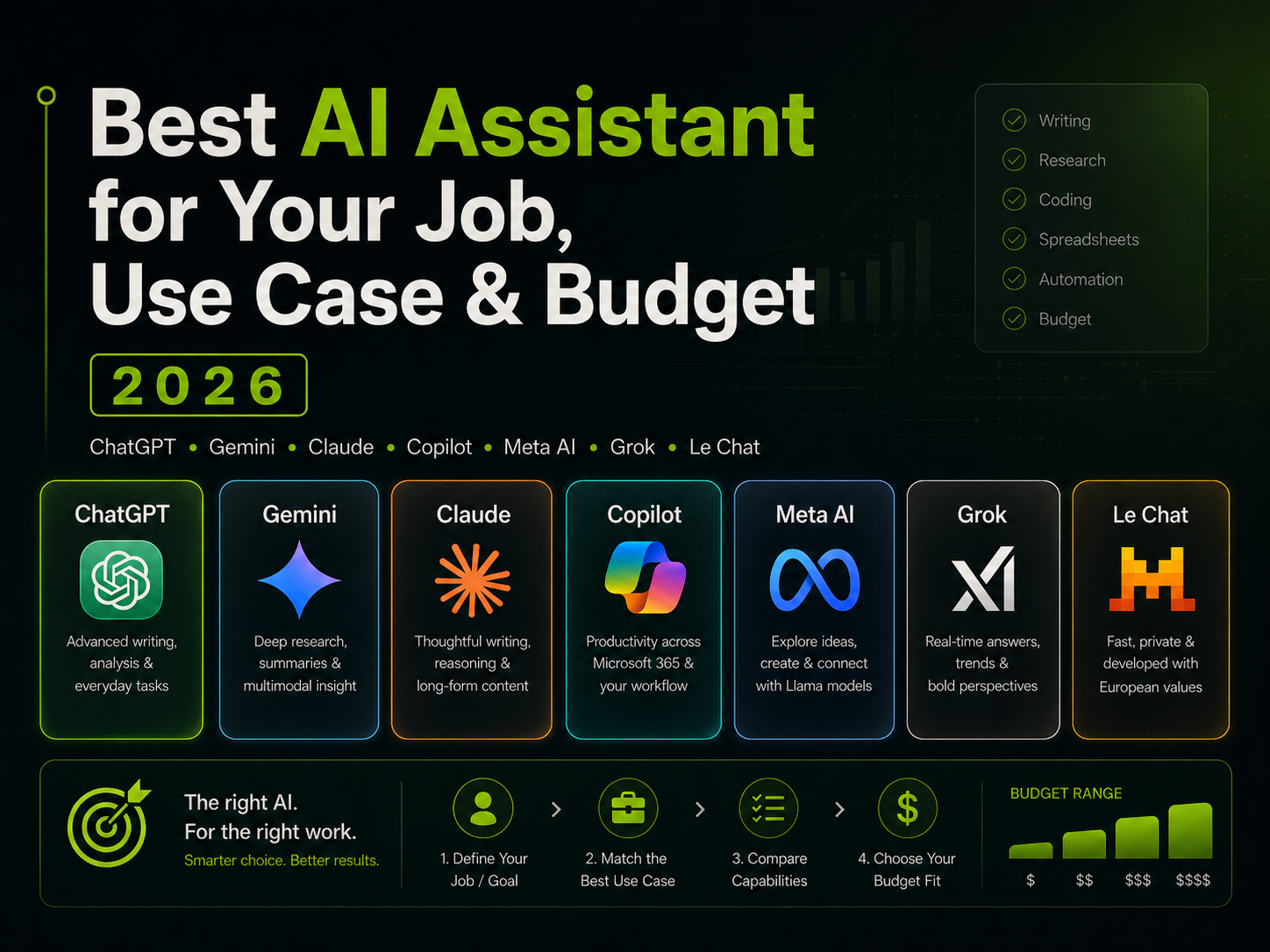
This guide compares seven general-purpose AI assistants: ChatGPT, Google Gemini, Claude, Microsoft Copilot, Meta AI, xAI Grok, and Mistral Le Chat.
I’m here to help you pick a tool that fits your life. Benchmark charts are useless by lunch.
If you want the short version
| You are… | Start with… | Why |
|---|---|---|
| A general user who wants one strong all-rounder | ChatGPT | Best overall mix of writing, research, file analysis, voice, image handling, coding help, and general usefulness. ChatGPT supports web search, file uploads, data analysis, charts, image upload, voice, and canvas-style writing/code workspaces. |
| A Gmail, Google Docs, Google Drive, or YouTube-heavy user | Gemini | Best fit for the Google world, especially if you already use Workspace apps and want AI inside that flow. Google’s paid AI plans include Gemini access, Deep Research, and Gemini features in Gmail and Docs on higher tiers. |
| A writer, editor, analyst, researcher, or “think through this carefully” person | Claude | Excellent for long-form writing, editing, document analysis, thoughtful reasoning, and careful tone. Claude’s paid plans add more usage, Research, projects, connectors, and document-focused work features. |
| A Microsoft 365 workplace user | Microsoft Copilot | Best if your day runs through Word, Excel, Outlook, Teams and SharePoint. Microsoft 365 Copilot works inside Microsoft apps and can be grounded in business data on paid business and enterprise plans. |
| A casual user who mostly wants free help inside social apps | Meta AI | Best free social assistant, especially if you use WhatsApp, Instagram, Facebook, or Meta’s AI glasses. Meta AI is available across Meta apps and as a standalone app. |
| A heavy X/Twitter user who wants real-time social chatter | Grok | Best for people who care about what is happening on X right now. Grok emphasizes real-time search, trends, user sentiment, voice, coding, reasoning, and image/video generation. |
| A budget-conscious user who wants a paid assistant below the usual $20/month tier | Mistral Le Chat | Strong value. Mistral lists Le Chat Pro at $14.99/month, with higher limits, web searches, deep research, projects, image generation, and storage. |
Most people: start with ChatGPT.
In Google apps all day: start with Gemini.
In Microsoft apps all day: start with Copilot.
Write, edit, analyze, or need a patient thinking partner: try Claude.
Want the best low-cost paid plan: look hard at Mistral Le Chat.
Two rules before you spend money
1. Get the one that’s closest to where you work, and don’t overpay for it
You’ll use the AI that’s closest to you, even if it isn’t the smartest one on a benchmark chart. Proximity beats capability, every time.
If you spend all day in Google Docs, Gmail and Sheets, Gemini has a built-in advantage. If your company runs on Outlook, Teams, Word and Excel, Copilot has it. If your work is scattered across files, browser tabs, writing drafts, screenshots and random “can you make sense of this?” moments, ChatGPT and Claude are usually easier to settle into.
How things work together matters because friction kills usage. A brilliant assistant that sits outside your workflow is like a gym membership across town.
On cost: subscription creep is real. Most people start a $20/month plan and end up using it to rewrite a birthday message once a fortnight. A $20/month plan can be excellent value, so can a $100/month plan, but only if you’re actually hitting the limits. Start on the free tier. Move up when the time savings are obvious, not because the upgrade page looks good.
2. Use business or enterprise plans for sensitive work
For private client work, HR issues, contracts, financials, legal material or customer data, don’t casually paste everything into a free consumer chatbot.
Use a plan with clear data protection terms. OpenAI says ChatGPT Business data is excluded from training by default and encrypted in transit and at rest. Microsoft says Copilot prompts and responses stay within the Microsoft 365 service boundary and are not used to train the underlying models. Google says Workspace AI data is not used to train Gemini models or for ads. xAI says Grok Business includes no training on your data, with encryption and compliance controls. Claude Team says content is not used for model training by default.
Mistral is a bit different. Its data policy says Le Chat Free, Pro, Student, and Team input and output data may be used by default to train models unless users opt out, while Enterprise data is not used for training. Read the settings before you paste anything sensitive.
The contenders
ChatGPT
Best for: general users, freelancers, entrepreneurs, analysts, writers, marketers, students, developers, mixed workflows
Worth skipping if: you only want AI inside Microsoft or Google apps and never want to leave
Best starting plan: Free, Go, or Plus depending on usage
If you don’t want to overthink it, just get ChatGPT.
It handles writing, brainstorming, summarizing, coding help, explaining difficult ideas, analyzing files, making charts, reviewing images, and drafting emails. The feature set includes web search with source links, voice, image upload, file upload, data analysis, chart creation, and a canvas workspace for writing and code.
ChatGPT Plus is listed at $20/month and includes priority access, higher limits, advanced reasoning, and faster responses. ChatGPT Go is listed at $8/month in supported regions, for people who want paid access without the full Plus price. Pro tiers exist for heavy users who need substantially more capacity.
For teams, ChatGPT Business is listed at $25/user/month monthly or $20/user/month annually, with a minimum of two users.
ChatGPT earns its reputation because the range is real. One hour you need a blog outline. The next, a spreadsheet explained, then a customer email, a Python snippet, a contract summary. It handles the pivot without complaint.
It’s also a good fit for people who don’t know exactly what they want AI for yet. Broad enough to experiment with, without feeling locked into one company’s apps.
Tends to work well for freelancers and small business owners, bloggers and marketers, analysts, product managers and consultants, students, developers and operations managers, and anyone whose daily work bounces between documents, data and half-formed ideas.
Where it’s not the obvious pick
If your main need is working closely with Microsoft 365 or Google Workspace, Copilot and Gemini will feel more natural. If your work is almost entirely long-form writing or careful document reasoning, try Claude first.
Google Gemini
Best for: Gmail, Docs, Drive, Sheets, Calendar, YouTube, Android, and Google Workspace users
Worth skipping if: your workplace runs on Microsoft, or you want a standalone assistant that isn’t tied to a platform
Best starting plan: Google AI Plus or Google AI Pro
Gemini is the obvious pick if you live in Google’s world. That’s about half the people reading this.
Google lists Gemini pricing, including Google AI Plus at $7.99/month, Google AI Pro at $19.99/month, and Google AI Ultra at $249.99/month, with different levels of access to Gemini models, Deep Research, video generation tools, NotebookLM access, Gemini inside Gmail and Docs, and storage allocations depending on plan and region.
The case for Gemini isn’t really the chatbot in isolation. If your work already lives in Gmail, Docs, Drive and Calendar, Gemini can feel less like a separate tool and more like a helper inside the software you already use. That matters more than most benchmarks suggest.
Higher plans include Veo and Flow, along with Deep Research and NotebookLM-related features. Worth knowing if you’re a creator or researcher.
Teachers and students working in Google Classroom, researchers and content teams using Google Docs, small businesses on Google Workspace, admin teams living in Gmail and Drive, YouTubers who want AI alongside their existing Google tools.
Where it’s not the obvious pick
If your workplace uses Microsoft 365, Copilot fits better. For the strongest general-purpose standalone assistant, ChatGPT is more flexible. For long-form writing, Claude tends to produce drafts that feel more considered.
Claude
Best for: writers, editors, analysts, researchers, consultants, policy people, lawyers, and coders who want careful reasoning
Worth skipping if: you mainly need tight Google or Microsoft app integration
Best starting plan: Claude Pro
Claude is the one I’d hand to someone who says “I need help thinking clearly.”
It’s strong at drafting, editing, summarizing, comparing documents, explaining nuance, and helping shape messy ideas into coherent work. Less eager to sprint to an answer. More willing to sit with complexity. That’s useful when the work is subtle, or when being wrong would be embarrassing.
Claude’s pricing page lists a Free plan and a Pro plan at $20/month, or $17/month when billed annually. Pro includes more usage, Claude Code, Claude Cowork, unlimited projects, Research, access to more models, and beta features for Excel, PowerPoint, and Word.
Claude Max starts at $100/person/month for users who need substantially more capacity than Pro. Claude Team includes standard and premium seats, connectors, admin controls, and business features for organizations.
What it’s particularly good at
Long-form writing. Structural editing. Reviewing complex documents and surfacing what matters. Comparing drafts. Turning rough notes into polished prose that doesn’t read like it was assembled by committee.
For writers and editors, Claude is often the assistant that best understands “make this sharper, but don’t make it sound like LinkedIn ate my soul.”
Writers and editors, journalists and communications teams, researchers and academics, developers who want help understanding and improving code (not just generating it).
Where it’s not the obvious pick
If your main need is spreadsheet-heavy analysis, image generation, or working closely with Google or Microsoft apps, ChatGPT, Gemini, or Copilot may be a better fit.
Microsoft Copilot
Best for: Word, Excel, Outlook, Teams, SharePoint and Microsoft 365 business users
Worth skipping if: you don’t use Microsoft apps much
Best starting plan: Microsoft 365 Premium for individuals; Microsoft 365 Copilot for business users
Copilot is boring, but it’s the only tool that matters if you’re stuck in the Microsoft stack.
Microsoft’s individual plans include Microsoft 365 Personal, Family, and Premium. Microsoft 365 Premium is listed at $19.99/month or $199.99/year and includes Microsoft apps plus advanced Copilot features, AI research reports, data analysis with visualization, and image creation/editing.
For businesses, Copilot Chat is available at no additional cost for eligible Microsoft 365 commercial users with a Microsoft Entra account. Paid Microsoft 365 Copilot Business adds Copilot in Teams, Outlook, Word, PowerPoint, and Excel, plus agents and business data grounding. Enterprise pricing is listed at $30/user/month paid yearly, with a separate qualifying Microsoft 365 license required.
Where it earns its keep
Copilot is built for the person who regularly needs to summarize a Teams meeting, turn a Word doc into a PowerPoint, make sense of an Excel file, or find something someone said two weeks ago in a meeting, email, or shared doc.
That’s a lot of people.
Corporate employees and managers at any level, sales and HR teams, finance teams, admin teams and consultants inside Microsoft-heavy organizations, anyone whose morning starts with Outlook and ends with Teams.
Where it’s not the obvious pick
If you don’t use Microsoft 365, don’t force Copilot into your life. ChatGPT, Claude, Gemini, or Le Chat will be easier and cheaper.
The value also depends heavily on your access level. A business plan grounded in company files, meetings, and emails is a very different product from a basic chat experience.
Meta AI
Best for: WhatsApp, Instagram, Facebook, Messenger, Meta AI glasses, quick images, casual questions
Worth skipping if: you need serious workplace functionality or handle sensitive data
Meta AI is useful because it’s already on your phone. That’s the whole pitch. It’s built into WhatsApp, Instagram, Facebook and Messenger, and it handles casual questions, image generation, shopping ideas and quick recommendations well enough. For anything involving client data, contracts, or serious analysis, it’s the wrong tool. Also worth knowing: Meta privacy says your interactions may be used to improve its AI systems, depending on region and settings.
xAI Grok
Best for: X/Twitter power users, trend watchers, creators, journalists, social analysts
Worth skipping if: you don’t use X or mainly need office-suite integration
Best starting plan: X Premium or Grok Business, depending on use
Grok’s value is tied almost entirely to X. If you’re not on X regularly, most of that value disappears.
Grok is described by xAI as an AI companion with text and voice chat, coding, reasoning, image and video generation, and real-time search, with a specific emphasis on trends, real-time data, and user sentiment.
X Premium is listed at $8/month and Premium+ at $40/month on the web in the U.S. Grok Business is listed at $30/month, with advanced models, Google Drive integration, audit logs, projects, encryption, and no training on your data.
Where it’s useful
When you want to know how something is playing on X right now: which narratives are forming, what the reaction is, how a launch or controversy is being discussed. Useful for creators, journalists, comms teams, and investors who monitor fast-moving online conversation.
Less useful as a general-purpose coding assistant or document tool. Those aren’t what it’s built for.
Mistral Le Chat
Best for: budget-conscious users, students, developers, small teams, people who want a capable paid assistant below $20/month
Worth skipping if: you need polished app connections or enterprise-grade data controls without managing settings yourself
Best starting plan: Le Chat Pro
More people should probably try this one.
It doesn’t have the name recognition of ChatGPT or Gemini, but the value is real. Le Chat Pro is listed at $14.99/month and Team is listed at $24.99/month.
Free plan includes Mistral models, memory, image generation, and projects. Pro adds higher limits, more web searches, extended thinking, deep research reports, more storage, and development features including Mistral Vibe.
It’s also worth considering if you prefer a European AI company or want an alternative to the main U.S. platforms.
One thing to manage: training policy says Free, Pro, Student, and Team input and output data may be used by default for model training unless users opt out, while Enterprise data is not. connector policy says Gmail, Drive, SharePoint, GitHub, and other connector data is never used for training. Read the settings before you paste anything sensitive.
Students and freelancers watching costs, developers who want capable AI without the $20/month ceiling, small teams that don’t need a polished enterprise platform, anyone who wants a solid general AI assistant at a lower price than the usual suspects.
Best AI assistant by job
Writers, bloggers, and editors
Start with Claude. It’s the strongest pick for improving structure, tightening arguments, adjusting tone, and helping prose sound less processed. If writing is only part of your job, ChatGPT is more useful day-to-day for brainstorming, research with citations, files, charts, and format switching.
Gemini if your drafts live in Google Docs. Copilot if they live in Word.
Marketers and content teams
Marketing work is rarely just “write a blog post.” It includes research, briefs, ad copy, email sequences, landing pages, social posts, competitor analysis, and explaining to someone why “make it pop” is not a strategy.
ChatGPT handles the widest range of task types. Claude is the stronger pick for tone, brand voice, and long-form drafts that don’t read like they were generated. Gemini works well for teams already in Google Docs and Drive. Use Grok only if X is part of your audience strategy.
Developers and technical teams
Depends what you’re doing. ChatGPT is strong for explaining code, generating snippets, debugging and technical documentation. Claude is the better pick for careful code review and understanding a large codebase, and paid plans include Claude Code. Le Chat Pro is worth a look if the $20/month ceiling is a problem.
If your team runs OpenAI models for copy, Claude for long-form analysis, and another provider for niche tasks, you are now managing three dashboards, three budgets, and three sets of rate limits. In that mess, Kie.ai gives you one entry point and lets one workflow pick the model by task. I use it like a routing layer: same prompts, different model output depending on cost and speed goals, without rebuilding every integration. When your billing spikes at the end of the month, that layer keeps the team from turning into accidental infra engineers.
Claude for careful reasoning. ChatGPT for everything else. Le Chat if cost matters.
Analysts, finance teams, and operations managers
If your company runs on Microsoft 365, use Copilot. Copilot brings AI into Excel, Teams, Outlook and Word on paid business plans, and that’s where your data already is. If you’re outside that world, ChatGPT handles file uploads, data analysis and charting well enough for most analytical work. Google Sheets users: Gemini.
Sales, customer success, and account managers
Use whatever is built into your email and meeting tools. For most sales teams, that’s Copilot (if you’re on Microsoft 365) or Gemini (if you’re on Google Workspace). ChatGPT is useful for reusable assets: call scripts, discovery questions, CRM note cleanups. Claude when a client email needs to be warm and precise without sounding like a template.
Executives, founders, and managers
Copilot if your biggest problem is meetings and Microsoft files. ChatGPT if your biggest problem is messy cross-functional work: strategy drafts, memo outlines, market research, turning scattered notes into something usable. Claude if your biggest problem is thinking clearly and communicating it.
Teachers, students, and researchers
The best assistant here is the one that helps you understand, not the one that does your thinking for you. That distinction matters more here than anywhere else.
ChatGPT is strong for explaining concepts, generating practice questions and summarizing readings. Claude is better for comparing arguments and improving drafts. Gemini fits if your school runs on Google. Le Chat Pro is worth a look if budget is tight: cheaper than the typical $20/month tier and including web searches, deep research and storage.
AI can be wrong. Confidently wrong, even, like a pub quiz teammate who announces the answer before checking. Always verify anything that matters.
Creators, social media managers, and community builders
Meta AI for Meta platforms, Grok for X. For everything else, scripts, content calendars, strategy, turning one idea into ten usable assets: ChatGPT. Gemini if YouTube and Google tools are central to your workflow.
Freelancers and solopreneurs
Freelancers need range: proposals, research, outlines, client emails, reporting, and fixing the sentence that sounded fine at 11:43 p.m. but now reads like a ransom note.
ChatGPT Plus at $20/month handles the widest range of daily tasks. Le Chat Pro at $14.99/month is a solid alternative if the $20 is hard to justify. Add Claude Pro if writing quality is central to your income.
Best AI assistant by use case
Best for everyday general use: ChatGPT
ChatGPT handles writing, research, brainstorming, file analysis, coding help, images, voice, and charts in one place. It’s not perfect, but if you want one assistant with no strong ecosystem preference, it’s the safest starting point.
Best for Google Workspace: Gemini
Gemini fits naturally into Gmail, Google Docs, Drive, and other Google tools. The more your work lives in Google, the more it makes sense.
Best for Microsoft 365: Microsoft Copilot
Copilot is the obvious choice if your working life is Word, Excel, PowerPoint, Outlook, Teams, and SharePoint. Business and Enterprise plans bring AI into those tools and can draw on company context.
Best for long-form writing and document thinking: Claude
Claude is the best fit when you want an assistant that helps you think through the work, not just produce a fast first draft. It is especially strong on tone, structure, nuance, and long documents.
Best for social apps and casual use: Meta AI
Meta AI is convenient if you spend time in WhatsApp, Instagram, Facebook, or Messenger. It is not built for serious work.
Best for X and real-time social chatter: Grok
Grok is the right pick if X is part of your job and you care about trends, sentiment, and fast-moving online conversation. Don’t pick it just because the internet is loud. The internet is always loud.
Best lower-cost paid assistant: Mistral Le Chat
Le Chat Pro at $14.99/month puts it below the usual $20/month tier. It is capable enough for most everyday use, with web search, deep research, image generation, and storage included.
Best AI assistant by budget
$0/month
Try before you commit. All seven have free tiers worth testing. ChatGPT for general use. Gemini for Google users. Claude for writing and documents. Meta AI for casual social use. Le Chat if you want to test Mistral’s approach. Grok if you’re on X.
Free plans are useful for figuring out fit. Less useful for heavy use, sensitive work, or consistent access to the best models.
Under $15/month
Google AI Plus at $7.99/month. ChatGPT Go at $8/month in supported regions. Le Chat Pro at $14.99/month.
For many people, this tier is enough.
Best pick under $15: Mistral Le Chat Pro for the most capability at this price.
For Google users: Google AI Plus.
For ChatGPT users watching spend: ChatGPT Go, where available.
Around $20/month
The sweet spot for most regular professionals:
- ChatGPT Plus at $20/month
- Claude Pro at $20/month, or $17/month billed annually
- Google AI Pro at $19.99/month
- Microsoft 365 Premium at $19.99/month or $199.99/year
ChatGPT Plus for the best all-round assistant. Claude Pro if you write, edit, or analyze long documents. Google AI Pro if you live in Gmail and Docs. Microsoft 365 Premium if you want AI plus Microsoft apps for personal use.
$25-$40/month
Microsoft Copilot Business has annual and monthly options and requires a qualifying Microsoft 365 subscription. Mistral Team is $24.99/month. Grok Business is $30/month. X Premium+ is $40/month in the U.S. with higher Grok limits.
This range makes sense when AI is part of your daily work, not something you use occasionally.
$100+/month
Claude Max starts at $100/person/month with much higher usage limits than Pro. Google AI Ultra is listed at $249.99/month. OpenAI Pro tiers exist for users who need substantially more capacity than Plus.
Worth it for developers, researchers, analysts, and founders who use AI for hours every day. Overkill for most people.
Privacy and company data
AI assistants are useful because they can work with your words, files, emails, and business context. That’s exactly why privacy matters.
For ordinary personal tasks, free or consumer plans may be fine. For client documents, contracts, financials, HR issues, legal material or customer data, choose a business or enterprise plan with clear protections.
The short version of each provider’s position:
- OpenAI: ChatGPT Business data is excluded from training by default, encrypted in transit and at rest.
- Microsoft: Copilot prompts and responses stay inside the Microsoft 365 service boundary and aren’t used to train the underlying models.
- Google: Workspace AI data is not used to train Gemini models or for ads.
- xAI: Grok Business includes no training on your data, with encryption, audit logs, and compliance controls.
- Anthropic: Claude Team content is not used for model training by default.
- Mistral: Le Chat Free, Pro, Student, and Team data may be used by default for training unless you opt out, while Enterprise is excluded.
If the information could damage a client, customer, employee, or company if mishandled, don’t use a casual free plan.
Recommendations
Best overall: ChatGPT. Broad, flexible, and useful across the widest range of everyday tasks.
Best for Google users: Gemini. The more your work lives in Google tools, the stronger the case.
Best for Microsoft users: Copilot. If your day runs through Outlook, Teams, Word, and Excel, this is where AI makes the most practical difference.
Best for writing and careful thinking: Claude. Especially good when tone, structure, and getting the argument right matter more than speed.
Best free social assistant: Meta AI. Convenient for WhatsApp, Instagram, Facebook, and Messenger. Not built for serious work.
Best for X and real-time social context: Grok. Only worth it if X is part of your job.
Best budget paid assistant: Le Chat Pro. Capable, cheaper than most, and worth more attention than it gets.
Pick one. Use it seriously for two weeks. If it doesn’t save you time, cancel it.
AI should be a useful assistant, not another tiny subscription gremlin living in your bank statement.